A BMW bug is a software or electronic issue that affects how some vehicle systems work. It can cause features to freeze, display incorrect messages, or stop responding for a short time. Unlike a mechanical failure, a bug usually involves the car’s computer, sensors, or infotainment system. Some bugs disappear after a restart, while others need a software update or repair.
A small software bug can quickly become frustrating. For example, warning lights may appear without a real problem, or the infotainment screen may stop working during a trip. These issues can confuse drivers and reduce confidence in the vehicle. Therefore, understanding the cause of a BMW bug can save both time and money.
This guide explains the most common BMW bug problems, their causes, warning signs, and repair options. You will also learn how to diagnose these issues, prevent them, and understand the possible repair costs. By the end, you will know how to keep your BMW’s electronic systems running smoothly.
Common BMW Bug Problems
BMW bug problems often appear in the car’s software or electronic systems. For example, the infotainment screen may freeze or restart without warning. Sometimes, the navigation system stops responding. In other cases, Bluetooth disconnects while driving. These issues can affect daily use, but they do not always point to a major mechanical problem.

Many drivers also notice warning lights that appear even when the vehicle works normally. In addition, sensors may send incorrect information to the control unit. As a result, the car may display false error messages. Power windows, parking sensors, or the digital dashboard may also behave unexpectedly because of a software bug.
Fortunately, many BMW bug problems have simple solutions. First, updating the vehicle’s software can fix many system errors. However, some issues may require a diagnostic scan to find the exact cause. Regular maintenance and timely updates also help keep the car’s electronic systems working properly.
Main Causes of a BMW Bug
A BMW bug often starts because of outdated software. Like smartphones, BMW vehicles need regular software updates. If the software is old, some features may stop working correctly. As a result, the system may freeze, restart, or display error messages.
Faulty sensors can also cause a BMW bug. For example, a damaged sensor may send incorrect data to the vehicle’s computer. In addition, weak battery voltage or poor electrical connections can interrupt normal system operation. Therefore, electronic features may behave in unexpected ways.
Sometimes, a BMW bug appears after installing new software or replacing electronic parts. If the update does not install correctly, the system may develop glitches. Likewise, damaged wiring or a failing control module can create similar problems. Regular maintenance and professional diagnostics help identify the exact cause and prevent further issues.
Warning Signs of a BMW Bug
One of the first warning signs of a BMW bug is an unexpected error message on the dashboard. Sometimes, warning lights appear even though the vehicle is working normally. In addition, the infotainment screen may freeze, restart, or respond slowly. These signs often point to a software or electronic issue.
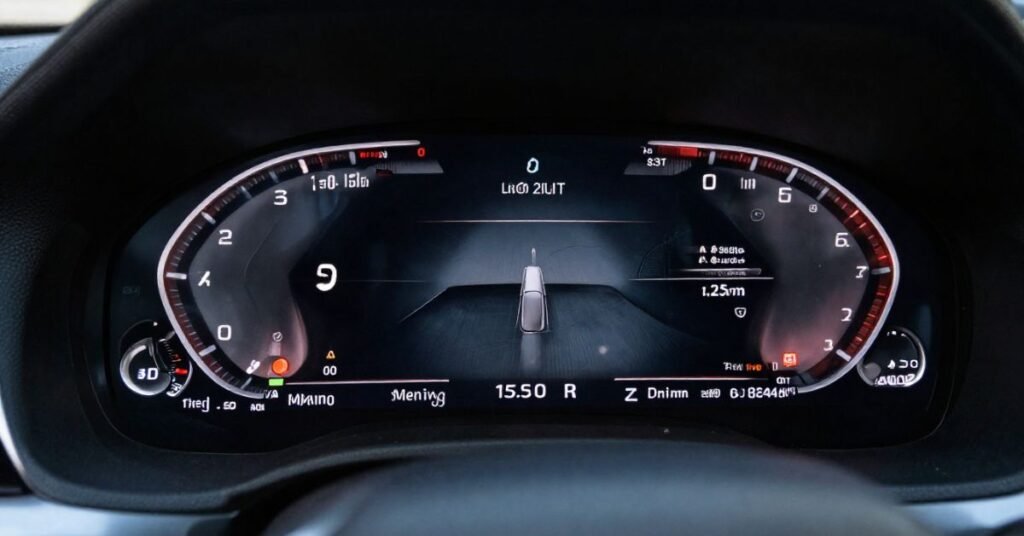
You may also notice that some vehicle features stop working as expected. For example, Bluetooth may disconnect, the navigation system may fail, or the parking sensors may stop responding. Likewise, the digital instrument cluster may show incorrect information. These problems can appear from time to time or become more frequent.
A BMW bug can also affect the overall driving experience. The vehicle may take longer to start, or certain electronic functions may reset on their own. Therefore, you should not ignore these signs. A software update or diagnostic scan can help find the cause and fix the problem before it gets worse.
How to Diagnose a BMW Bug
Start by paying attention to the problem. Notice when the BMW bug appears and which system is affected. For example, check if the issue happens during startup, while driving, or when using the infotainment system. This information helps identify the cause more quickly.
Next, scan the vehicle with a BMW-compatible diagnostic tool. The scan can read error codes from the car’s control modules. In addition, check for available software updates, as many bugs are fixed with newer software. Restarting the system may also help determine whether the problem is temporary.
If the issue continues, inspect the battery, wiring, and electrical connections. A weak battery or loose connection can cause electronic problems that look like a software bug. Therefore, if you cannot find the cause, visit a qualified BMW technician. Professional diagnostics can confirm the problem and recommend the right repair.
BMW Models Most Affected
A BMW bug can appear in many models, especially those with advanced electronic systems. Some owners of the BMW 3 Series, 5 Series, and 7 Series have reported software and infotainment issues. In addition, newer SUVs such as the X3, X5, and X7 may also experience occasional system glitches. However, not every vehicle will have the same problem.
Electric and hybrid BMW models can also experience software-related bugs. For example, the BMW i4, i5, i7, and iX rely on complex computer systems to manage many vehicle functions. As a result, software errors can affect charging, navigation, or digital displays. Regular updates help reduce these issues.
The number of bugs depends more on the vehicle’s software version and maintenance than on the model itself. Therefore, keeping your BMW updated is very important. Routine inspections and timely software updates can improve system performance and reduce the chance of electronic problems.
Types of BMW Bug Issues
BMW bug issues can affect different electronic and software systems in the vehicle. Some bugs are minor and disappear after a restart. Others continue until the software is updated or repaired. In addition, certain bugs may trigger warning lights even when there is no mechanical problem.
The type of BMW bug depends on the affected system. For example, one bug may freeze the infotainment screen, while another may interrupt Bluetooth or navigation. Therefore, identifying the exact issue helps you choose the right repair and avoid unnecessary part replacements.
| BMW Bug Issue | Affected System | Common Symptoms | Possible Cause | Typical Fix |
| Infotainment Bug | iDrive System | Frozen or black screen | Outdated software | Software update or system restart |
| Navigation Bug | GPS System | Incorrect location or route | Software glitch | Update navigation software |
| Bluetooth Bug | Connectivity | Calls or music disconnect | Pairing or software issue | Re-pair device and update software |
| Digital Dashboard Bug | Instrument Cluster | Wrong information or screen freeze | System error | Software reset or update |
| Parking Sensor Bug | Parking Assist | False obstacle warnings | Sensor or software fault | Sensor inspection and calibration |
| Camera Display Bug | Rearview Camera | Blank or delayed image | Camera software issue | Update software or inspect camera |
| Keyless Entry Bug | Comfort Access | Doors fail to unlock or lock | Weak battery or module issue | Replace battery or diagnose module |
| Warning Light Bug | Vehicle Electronics | False dashboard warnings | Software or sensor error | Diagnostic scan and update |
| Climate Control Bug | HVAC System | Incorrect temperature settings | Control module glitch | System reset or repair |
| Charging Bug (EV Models) | Charging System | Charging interruptions | Software problem | Install latest software update |
| Driver Assistance Bug | Safety Systems | Lane assist or cruise control not working | Sensor or software issue | Recalibrate sensors and update software |
| ConnectedDrive Bug | Online Services | Apps or remote features unavailable | Server or software issue | Refresh services and update software |
BMW Bug vs Mechanical Problems
A BMW bug is different from a mechanical problem. A bug usually affects the vehicle’s software or electronic systems. For example, the infotainment screen may freeze, or the dashboard may show a false warning light. In contrast, a mechanical problem involves physical parts such as the engine, brakes, transmission, or suspension. Therefore, finding the correct type of fault is important before starting any repair.
Although both issues can affect your driving experience, they require different solutions. A BMW bug often needs a software update or system reset. However, a mechanical fault usually requires repairing or replacing worn or damaged parts. The following points highlight the main differences:
- BMW Bug: Affects software, electronics, or control modules.
- Mechanical Problem: Affects physical components such as the engine, gearbox, or brakes.
- BMW Bug: Often fixed with software updates or diagnostic programming.
- Mechanical Problem: Usually fixed by repairing or replacing damaged parts.
- BMW Bug: May cause false warning lights or frozen digital features.
- Mechanical Problem: Often causes unusual noises, leaks, vibrations, or reduced performance.
How to Fix a BMW Bug
The first step is to identify the exact problem. Use a BMW-compatible diagnostic tool to scan the vehicle for error codes. This scan helps locate the affected system. In many cases, restarting the system or clearing temporary errors can solve minor issues.
Next, check if a software update is available. BMW regularly releases updates to fix bugs and improve system performance. Therefore, installing the latest software can resolve many electronic problems. If the issue started after an update, a technician may need to reinstall or reprogram the software.
If the BMW bug continues, inspect the battery, wiring, and electronic connections. A weak battery or damaged wiring can create software-like symptoms. In addition, faulty sensors or control modules may need repair or replacement. If you cannot fix the issue yourself, visit a qualified BMW service center for a complete diagnosis and repair.
Ways to Prevent a BMW Bug
Keeping your BMW software up to date is one of the best ways to prevent a BMW bug. Software updates improve system performance and fix known issues. Therefore, check for updates regularly and install them as recommended. This simple step can prevent many electronic problems.
Regular vehicle maintenance also helps reduce the risk of software and electrical issues. Keep the battery in good condition because low voltage can affect electronic systems. In addition, inspect the wiring and connectors during routine service. A healthy electrical system supports stable vehicle performance.
Drive the vehicle regularly and avoid ignoring warning messages. If a new error appears, diagnose it as soon as possible instead of waiting for it to get worse. Likewise, use genuine BMW parts and approved accessories whenever possible. These practices help keep your BMW running smoothly and reduce the chance of future bugs.
BMW Bug Repair Cost
The cost to repair a BMW bug depends on the type of problem. Small software issues are usually less expensive than hardware failures. In many cases, a simple software update or system reset is enough. However, complex electronic faults may require additional repairs.
A diagnostic scan usually costs between $100 and $250. Software updates or programming may cost $150 to $400, depending on the BMW model and the service center. If a faulty sensor or control module needs replacement, the total repair cost can range from $300 to $1,500 or more.
You can reduce repair costs by fixing problems early. Regular maintenance and timely software updates help prevent bigger issues. In addition, using a qualified BMW technician ensures the correct diagnosis and repair. This approach can save both time and money in the long run.
Best Diagnostic Tools for BMW Bug Detection
Using the right diagnostic tool makes it easier to find a BMW bug. These tools read error codes from the vehicle’s control modules. They also help identify software, sensor, and electronic problems. As a result, you can diagnose issues more accurately and avoid unnecessary repairs.
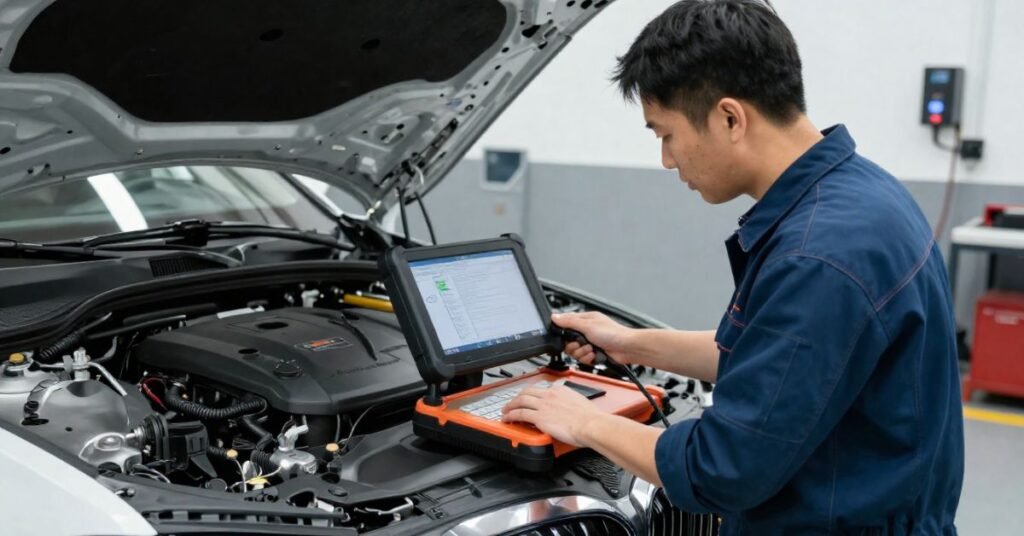
BMW owners often use tools such as ISTA+, BimmerLink, Carly for BMW, Foxwell NT710, and Autel MaxiCOM. Some tools offer basic code reading, while others provide advanced programming and system testing. Therefore, choose a tool that matches your needs and your BMW model.
Before buying a diagnostic tool, make sure it supports your vehicle’s year and features. In addition, keep the software updated to access the latest functions and bug fixes. If the tool reports a serious fault, seek help from a qualified BMW technician. Proper diagnostics save time, reduce repair costs, and keep your BMW running smoothly.
Maintenance Tips to Avoid BMW Bugs
Regular maintenance is the best way to reduce the risk of BMW bugs. Follow the service schedule recommended for your vehicle. In addition, keep the engine, battery, and electrical system in good condition. A well-maintained BMW is less likely to develop software or electronic issues.
Always install the latest BMW software updates when they become available. These updates fix known bugs and improve system performance. Also, use genuine BMW parts if you need replacements. High-quality parts help the vehicle’s electronic systems work correctly and reliably.
Pay attention to warning lights and unusual system behavior. If the infotainment screen freezes or error messages appear, diagnose the issue as soon as possible. Likewise, avoid ignoring small problems because they can become more serious over time. Regular inspections and timely repairs help keep your BMW running smoothly and prevent future bugs.
Conclusion
A BMW bug can affect your vehicle’s software and electronic systems, but most problems are manageable. Knowing the common causes, warning signs, and repair options helps you respond quickly. In addition, regular software updates and routine maintenance can prevent many issues before they become serious.
Taking care of your BMW saves both time and money in the long run. Therefore, do not ignore error messages or unusual system behavior. Use the right diagnostic tools, follow the recommended service schedule, and seek professional help when needed. These simple steps will help keep your BMW reliable, safe, and running smoothly.
FAQs
1. What is a BMW bug?
A BMW bug is a software or electronic issue that affects features such as the infotainment system, dashboard, sensors, or other digital functions.
2. Can a BMW bug damage the engine?
Most BMW bugs do not damage the engine. However, if the bug affects important vehicle systems, you should diagnose and fix it as soon as possible.
3. How can I fix a BMW bug?
You can often fix a BMW bug by installing the latest software update, restarting the system, or using a BMW-compatible diagnostic tool to identify the problem.
4. How much does it cost to repair a BMW bug?
The repair cost depends on the issue. Simple software fixes may cost under $200, while replacing electronic components can cost $1,500 or more.
5. How can I prevent BMW bugs in the future?
Keep your BMW software updated, follow the recommended maintenance schedule, maintain a healthy battery, and address warning messages promptly to reduce the risk of future bugs.