A BMW software update improves your car’s digital systems. It updates the infotainment system, navigation, safety features, and vehicle settings. These updates fix bugs, improve performance, and sometimes add new features. They help keep your BMW running smoothly and securely.
Many BMW owners do not realize how important software updates are. An outdated system can cause small issues or miss the latest improvements. Regular updates can make your driving experience better without changing any hardware. In many cases, you can install them right from your vehicle.
This guide explains everything you need to know about a BMW software update. You will learn its benefits, how it works, which BMW models support it, and how to install it safely. You will also discover common update problems and simple ways to fix them.
BMW Software Update Benefits
A BMW software update can improve the stability and operation of the vehicle’s digital systems. Updates may fix software bugs, address system errors, and improve the performance of features such as infotainment, navigation, and connectivity.
Depending on the BMW model and software version, an update may also introduce new functions or improve existing features. It can enhance smartphone connectivity, infotainment compatibility, and certain vehicle systems. However, available updates and features vary by model, equipment, and market.
Keeping your BMW software up to date can also help maintain compatibility with connected services and supported devices. BMW may provide updates through different methods, including over-the-air updates or service-center installations. Always check the update information for your specific vehicle to understand what changes are included.
Over-the-Air (OTA) Updates
Over-the-Air (OTA) updates let you update your BMW without visiting a dealership. The update is downloaded over the internet and installed directly in your vehicle. This process saves time and keeps your car up to date with the latest software.
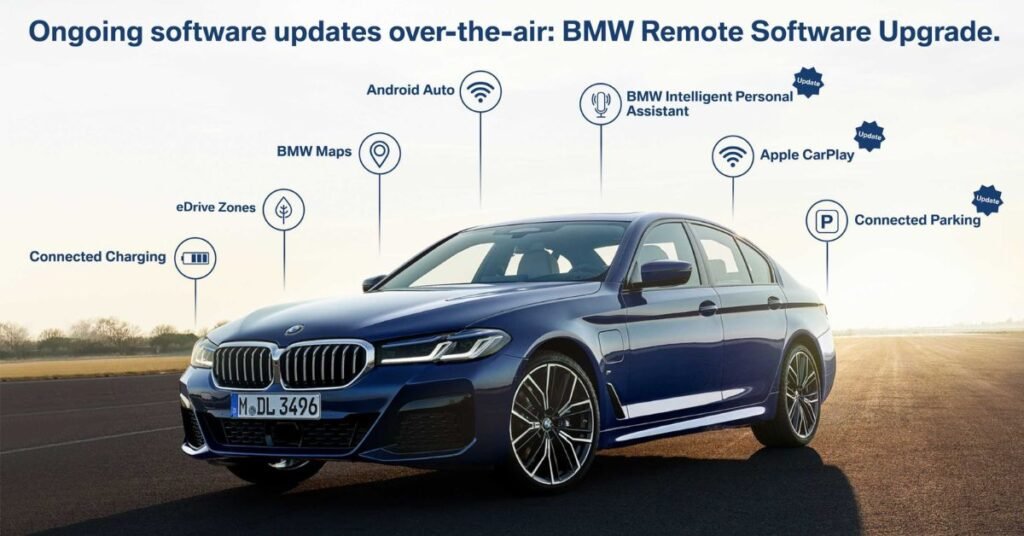
OTA updates can improve navigation, infotainment, and connected services. They may also fix software bugs and improve system stability. In some cases, BMW adds new features or enhances existing ones through these updates. As a result, your vehicle continues to improve over time.
Before starting an OTA update, make sure your BMW has enough battery power and a stable data connection. Follow the instructions shown on the vehicle’s display. Do not interrupt the installation process. Once the update is complete, your BMW will be ready to use with the latest improvements.
BMW Software Version Check
Checking your BMW software version is quick and easy. Open the vehicle settings from the infotainment screen. Then go to the software or remote software upgrade section. There, you can see the current software version installed on your BMW.
Knowing your software version helps you find out if an update is available. It also makes it easier to troubleshoot software issues. If your BMW supports Over-the-Air updates, the system will usually notify you when a new version is ready.
You should check your BMW software version from time to time. Regular checks help keep your vehicle updated with the latest features and security improvements. An up-to-date system also provides better performance and a smoother driving experience.
Compatible BMW Models
Most newer BMW vehicles can receive software updates, but the available method depends on the model year, equipment, software version, and market. Compatible vehicles may support BMW Remote Software Upgrade (RSU), which allows certain updates to be downloaded and installed without visiting a service center. The My BMW App and the vehicle’s ConnectedDrive menu can also show available update information.
Older BMW models may require a BMW service center or qualified workshop for some software updates. Therefore, an iDrive version alone does not guarantee OTA support. The table below provides a general guide, but owners should check their specific vehicle to confirm available update options.
| BMW Model | Update Support | Possible Method |
| 1 Series | Depends on model year | OTA / Service Center |
| 2 Series | Depends on model year | OTA / Service Center |
| 3 Series | Depends on model year | OTA / Service Center |
| 4 Series | Depends on model year | OTA / Service Center |
| 5 Series | Depends on model year | OTA / Service Center |
| 7 Series | Depends on model year | OTA / Service Center |
| 8 Series | Depends on model year | OTA / Service Center |
| X1 | Depends on model year | OTA / Service Center |
| X3 | Depends on model year | OTA / Service Center |
| X5 | Depends on model year | OTA / Service Center |
| X7 | Depends on model year | OTA / Service Center |
| i4 | Depends on model year | OTA / Service Center |
| i5 | Depends on model year | OTA / Service Center |
| i7 | Depends on model year | OTA / Service Center |
| iX | Depends on model year | OTA / Service Center |
| Z4 | Depends on model year | OTA / Service Center |
| M Models | Depends on model year | OTA / Service Center |
New Features After Updates
A BMW software update can add useful new features to your vehicle. You may notice a better infotainment system, smoother menu navigation, and faster response times. Some updates also improve voice control and smartphone integration. These changes make everyday driving more convenient.
Many updates improve navigation and connected services. Maps may become more accurate, and route planning can be faster. Bluetooth connections often become more stable, and wireless Apple CarPlay or Android Auto performance may improve. As a result, your driving experience feels more modern.
Software updates can also enhance safety and comfort features. Some updates improve parking assistance, driver assistance systems, and vehicle settings. In addition, BMW may fix known software bugs and improve system security. Keeping your software updated helps you enjoy the latest features available for your BMW.
How to Install a BMW Software Update
Installing a BMW software update is simple. First, check if a new update is available in your vehicle settings or the My BMW app. Download the update while your car has a stable internet connection. Make sure the battery has enough charge before you begin.
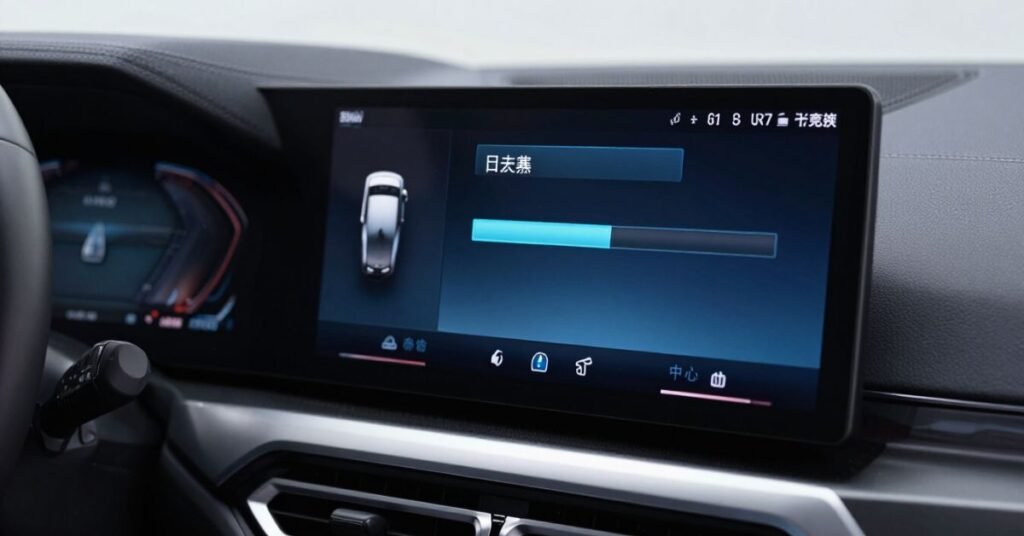
When the download is complete, park your BMW in a safe place. Follow the instructions shown on the infotainment screen to start the installation. Lock the vehicle if required and wait until the process finishes. Do not drive or switch off the system during the update.
After the installation is complete, restart your BMW if prompted. Check that all features are working correctly and confirm the new software version in the settings menu. If the update does not install successfully, try again later or visit a BMW dealership for assistance.
Common BMW Software Update Issues
Some BMW software updates may not download or install correctly. A weak internet connection is a common reason for this problem. Low battery power can also stop the update from starting. In some cases, the system may pause the installation until all requirements are met.
After an update, some drivers may notice small software glitches. The infotainment system may respond slowly for a short time. Bluetooth or smartphone connections may need to be paired again. These issues are usually temporary and can often be fixed by restarting the system.
If the problem continues, check for another available update. You can also review the update instructions in your vehicle settings. If the software still does not work properly, contact a BMW dealership for a system check. Regular updates help reduce these issues and keep your BMW running smoothly.
Fixing Update Errors
If your BMW software update fails, do not worry. First, check your internet connection and battery level. A weak connection or low battery can stop the update. Then try downloading and installing the update again.
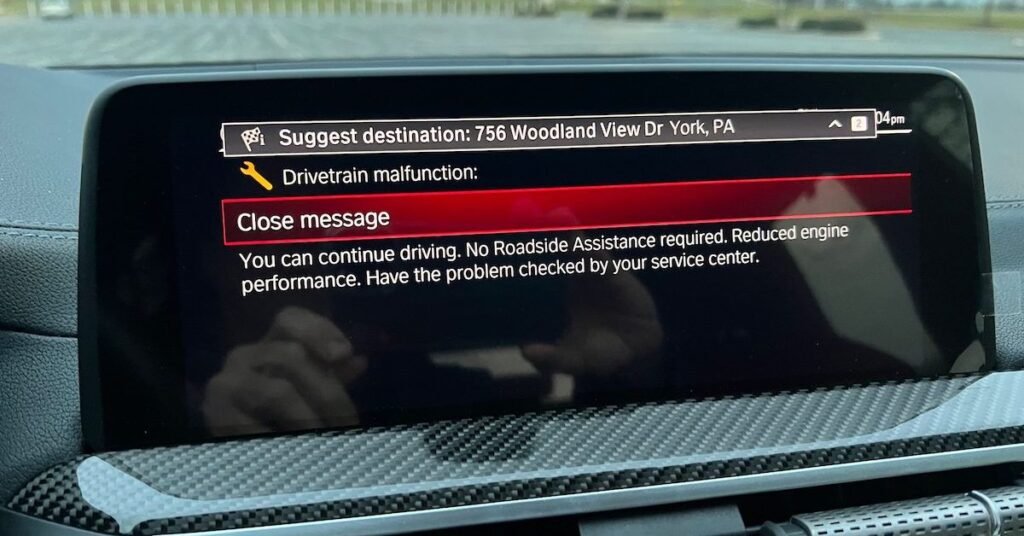
If the error persists, restart your BMW and check for the update again. Make sure there is enough storage space for the installation. Also, follow the instructions on the infotainment screen carefully. These simple steps solve many common update problems.
If the update still does not work, contact a BMW dealership for help. The technicians can diagnose the issue and install the latest software if needed. They can also check for hardware or system problems that may affect the update. This ensures your BMW receives the correct software and works properly.
BMW Software Update Frequency
BMW releases software updates several times a year. The exact schedule depends on your model and software version. Some updates add new features, while others improve security and fix bugs. Not every update is available for every BMW.
If your BMW supports Over-the-Air updates, you will receive a notification when a new version is ready. You can also check for updates in the vehicle settings or the My BMW app. Checking regularly helps you avoid missing important improvements.
There is no need to install updates every week. However, you should install them whenever BMW makes them available for your vehicle. Keeping your software current improves performance, enhances safety, and ensures your BMW works with the latest features and connected services.
Software Update Safety Tips
Always prepare your BMW before starting a software update. Make sure the battery is well charged, and the vehicle is parked in a safe place. Use a stable internet connection when downloading the update. This helps prevent installation problems.
Follow the instructions shown on the infotainment screen. Do not drive the vehicle or switch off the engine if the update requires the car to remain parked. Avoid opening or closing doors during the installation if BMW advises against it. Let the process finish without interruption.
After the update is complete, check that all systems are working properly. Test the navigation, Bluetooth, and other important features. If you notice any issues, restart the system or check for another update. If the problem continues, contact a BMW dealership for professional assistance.
Conclusion
A BMW software update is an easy way to keep your vehicle running at its best. It improves performance, adds new features, fixes software bugs, and enhances security. Regular updates also help your infotainment and connected services work more smoothly.
Checking for updates and installing them on time can save you from future problems. Whether you use Over-the-Air updates or visit a BMW dealership, keeping your software current is always a smart choice. It helps you enjoy a safer, more reliable, and more enjoyable driving experience.
FAQs
1. How do I check if my BMW needs a software update?
Open the software section in your BMW settings or the My BMW app. It will show if a new update is available.
2. Can I install a BMW software update at home?
Yes. Many newer BMW models support Over-the-Air (OTA) updates that you can install without visiting a dealership.
3. How long does a BMW software update take?
Most updates take between 20 and 60 minutes. The time depends on the update size and your BMW model.
4. What should I do if a BMW software update fails?
Check your internet connection, battery level, and available storage. If the problem continues, contact a BMW dealership.
5. Does a BMW software update improve vehicle performance?
Yes. Software updates can fix bugs, improve system stability, enhance security, and add new features to your BMW.