BMW ConnectedDrive is a smart technology system for BMW vehicles. It connects your car to digital services, navigation tools, and useful apps. It helps drivers stay informed, connected, and comfortable while driving.
Driving becomes easier when your car can support you at the right time. Imagine checking traffic, finding your parked car, or controlling certain features from your phone. BMW ConnectedDrive brings these helpful functions together in one system.
In this article, we will explain how BMW ConnectedDrive improves your driving experience. We will discuss its main features, safety benefits, navigation services, and remote controls. You will also learn how it can make everyday journeys more convenient.
What is BMW ConnectedDrive?
BMW ConnectedDrive is a collection of digital services for BMW vehicles. It connects the car with the internet, mobile apps, and navigation tools. These services help drivers stay connected while travelling.
The system provides useful information during every journey. It can show live traffic updates, suggest faster routes, and help drivers find nearby places. Some features also allow users to control parts of the car through the My BMW app.
BMW ConnectedDrive is designed to make driving safer and more convenient. It brings entertainment, communication, navigation, and vehicle information into one system. The available features may depend on the BMW model, country, and subscription plan.
How to Use BMW ConnectedDrive
First, create a BMW ID and sign in to the My BMW app. Add your vehicle by entering its identification number. Follow the instructions to connect your car to your account.
Next, open the ConnectedDrive menu on your car’s display. You can use navigation, traffic information, vehicle settings, and other digital services. Some features may need to be activated before use.
You can also control certain functions from your phone. The app may allow you to lock the doors, check the vehicle status, or find your parked car. Available features depend on your BMW model and service plan.
BMW ConnectedDrive Updates
BMW ConnectedDrive updates help keep the system working smoothly. They may improve performance, fix small problems, and add useful features. Some updates are installed automatically through the car’s internet connection.
Drivers can check for updates on the vehicle’s display or in the My BMW app. The car may show a notification when a new update is available. It is important to follow the instructions shown on the screen.
Some updates may take a few minutes to complete. The vehicle may need to stay parked during the process. Available updates can depend on the BMW model, location, and ConnectedDrive services.
BMW ConnectedDrive Services List with Examples
BMW ConnectedDrive offers several useful services. Navigation services provide live traffic information and suggest faster routes. Remote Services let drivers locate the car, check its status, lock the doors, or start the engine through the My BMW app.
BMW TeleService checks the vehicle’s maintenance needs. It can share service information with a BMW Center when attention is required. Proactive Care may also send helpful alerts through the car, email, or My BMW app.
Other services may include BMW Digital Key, connected entertainment, parking support, and charging information. For example, BMW Digital Key can allow a compatible phone to unlock the vehicle. The exact services depend on the BMW model, equipment, location, and active subscription.
BMW Remote Engine Start
BMW Remote Engine Start lets drivers start the engine remotely. It can help warm up or cool down the car before a journey. This makes the cabin more comfortable in hot or cold weather.
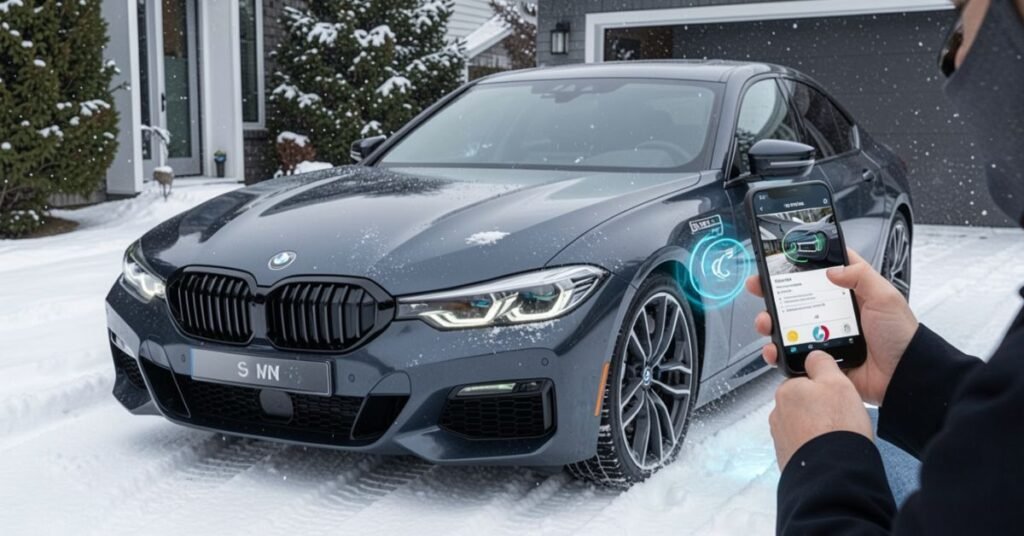
Drivers can usually use this feature through the My BMW app or the vehicle key. The car must be parked and locked before the engine can start remotely. The engine will run for a limited time and then switch off automatically.
This feature is not available on every BMW model. Availability may depend on the vehicle, country, and active ConnectedDrive services. Drivers should check their car settings or the My BMW app for more details.
BMW Intelligent Personal Assistant
BMW Intelligent Personal Assistant is a voice-controlled feature. It lets drivers control different car functions by speaking. You can activate it by saying, “Hey BMW.”
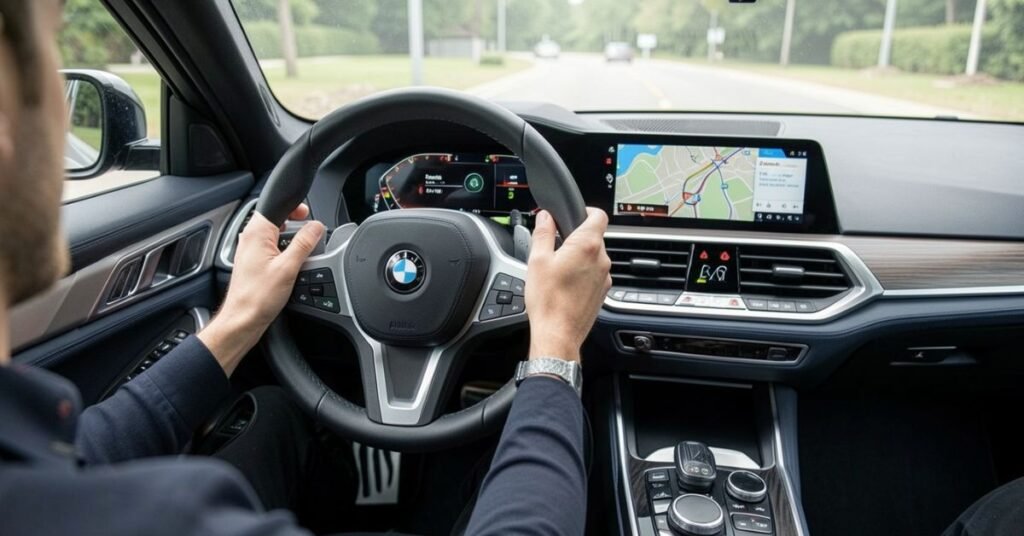
The assistant can help with navigation, climate settings, and entertainment. For example, you can ask it to find a nearby petrol station. You can also change the cabin temperature without using buttons.
This feature makes driving easier and more comfortable. It allows drivers to keep their hands on the steering wheel. Available commands may depend on the BMW model and software version.
BMW Digital Key & Digital Key Plus
BMW Digital Key lets you use a compatible smartphone as a car key. You can lock, unlock, and start the vehicle without using a traditional key. The digital key is stored securely on your phone.
BMW Digital Key Plus offers a more convenient experience. It can detect your phone as you approach the car. The doors may unlock automatically, and the vehicle can prepare for your journey.
Key benefits include:
- Locking and unlocking the car with your phone
- Starting the engine without a physical key
- Sharing digital access with trusted people
- Automatic unlocking on supported BMW models
- Managing key access through a compatible mobile device
BMW Assist eCall
BMW Assist eCall is an emergency calling feature. It can connect the driver with emergency services after a serious accident. The system may automatically send the vehicle’s location.
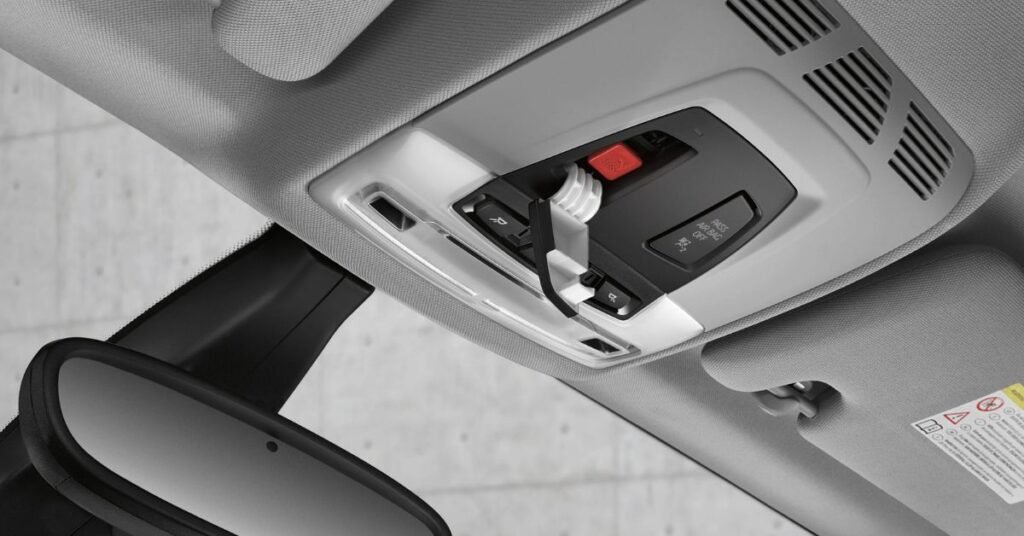
Drivers can also press the emergency button inside the car. This allows them to speak with a trained response agent. The agent can request medical help or other emergency support.
BMW Assist eCall can be useful when the driver cannot make a phone call. It helps emergency teams reach the vehicle more quickly. Availability may depend on the BMW model, location, and active services.
BMW Drive Recorder
BMW Drive Recorder uses the car’s cameras to record the area around the vehicle. It can capture short video clips while you are driving. The recordings may include views from the front, rear, and sides.
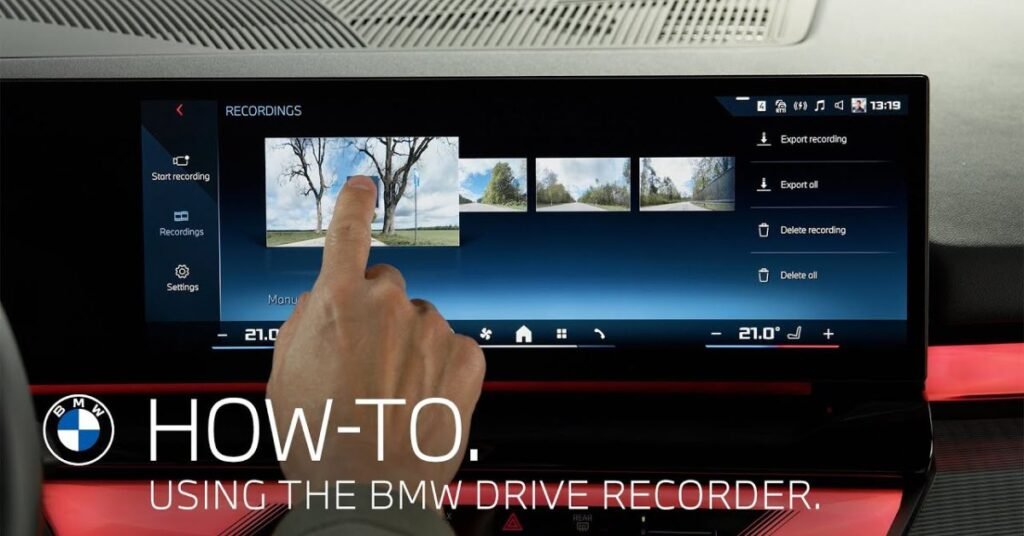
Drivers can start a recording through the vehicle’s display. On supported models, the system may also save footage automatically after an accident. This video can help explain what happened on the road.
Saved clips can usually be viewed inside the car. Some recordings may also be transferred to another device. Availability depends on the BMW model, installed cameras, and software version.
BMW ConnectedDrive Costs, Subscriptions & Upgrades
BMW ConnectedDrive costs depend on the vehicle and selected services. Some basic features may already be included with your BMW. Other digital services require a monthly or yearly subscription.
In the United States, BMW Digital Premium starts from $9.99 per month on compatible vehicles. An annual subscription may also be available. Eligible BMW models with Operating System 9 may include a three-month free trial.
Drivers can also purchase upgrades such as Remote Engine Start and other supported functions. Prices and availability depend on the model, equipment, and production year. You can view the exact options and costs in the ConnectedDrive Store or My BMW app.
What Is BMW Digital Premium?
BMW Digital Premium is a paid subscription for compatible BMW vehicles. It adds extra digital features to the car’s infotainment system. These services are designed to make driving more connected and enjoyable.
The subscription may include entertainment apps, improved navigation, and additional personalisation options. Drivers can use selected apps directly on the vehicle display. Some features may require an active internet connection.
BMW Digital Premium is available only on supported models and operating systems. The price and included services may vary by country and vehicle. Drivers can check availability through the My BMW app or ConnectedDrive Store.
Supported BMW Models & System Requirements
BMW ConnectedDrive is available on many newer BMW models. However, the exact services depend on the model, production year, equipment, and country. A BMW ID, an active in-car SIM card, and a linked vehicle are normally required. Some features also need an active ConnectedDrive contract or paid subscription.
BMW Operating Systems 8, 8.5, and 9 support many modern ConnectedDrive features. BMW Digital Premium is only available for vehicles with Operating System 9. Cars with Operating System 8 or 8.5 cannot upgrade to System 9 because different hardware is required.
Comparison Table
| BMW model or system | ConnectedDrive support | Main requirements |
| 2024 and newer BMW X1 | Supports Operating System 9 and modern digital services | BMW ID, linked vehicle, active connection, and compatible subscription |
| 2024 and newer BMW X2 | Supports Operating System 9 and BMW Digital Premium | Active BMW ID and monthly or annual subscription for premium features |
| 2025 and newer BMW X3 | Supports Operating System 9 and BMW Digital Premium | Compatible equipment, active connection and subscription |
| 2025 BMW 2 Series Gran Coupe | Uses Operating System 9 | Available services must be checked in the ConnectedDrive Store |
| 2024 BMW 7 Series and i7 | Commonly equipped with Operating System 8.5 | BMW ID, latest vehicle software and active services |
| 2024 BMW 5 Series and i5 | Commonly equipped with Operating System 8.5 | Some apps and upgrades depend on the vehicle’s equipment |
| 2024 BMW i4 and iX | Commonly equipped with Operating System 8.5 | Active ConnectedDrive account and supported hardware |
| 2024 BMW X5, X6 and X7 | Commonly equipped with Operating System 8.5 | Features vary by model, options, and subscription |
| 2024 BMW XM | Commonly equipped with Operating System 8.5 | Latest software and an active BMW ID may be required |
| BMW models with System 8 or 8.5 | Support the ConnectedDrive Store and Remote Software Upgrade | The latest compatible software version is required |
| BMW models with System 9 | Support Digital Premium, third-party apps and newer services | An active Digital Premium subscription is required for premium apps |
| Many BMW models with System 7 | May support remote updates and selected ConnectedDrive services | The car must have the required factory-installed hardware |
| Most eligible 2019 or newer BMW models | Remote Engine Start may be available | Automatic transmission, compatible engine and active ConnectedDrive account |
| My BMW App | Works with compatible Apple and Android phones | BMW ID, linked vehicle and the latest app version |
| BMW Digital Premium | Available only with Operating System 9 | Monthly or yearly subscription and an internet connection |
The ConnectedDrive Store is the best place to confirm compatibility. It checks the vehicle linked to your BMW ID. It then displays only the services and upgrades available for that specific car.
How to Activate BMW ConnectedDrive?
First, download the My BMW app and create a BMW ID. Confirm your account through the email sent by BMW. Then sign in to the app using your new account details.
Next, open the vehicle section and select Add Vehicle. Enter your BMW’s Vehicle Identification Number if requested. Follow the instructions to connect the car to your BMW ID. Newer BMWs may connect automatically when you sign in through the car’s display.
BMW may send a security code to your vehicle. Find it under ConnectedDrive Messages or BMW Messages. Enter the code in the app within three hours and accept the ConnectedDrive terms. Your available digital services should then become active.
My BMW App Integration & Control
The My BMW app connects your smartphone to your BMW. It lets you view important vehicle information from one place. You can check the fuel level, battery range, mileage, and service status.
The app also gives you remote control over selected car features. You may lock or unlock the doors from your phone. You can also locate the vehicle, flash the headlights, or prepare the cabin temperature before driving.
The available controls depend on your BMW model and active services. Some features require an internet connection or subscription. The app makes everyday driving easier and helps you stay connected to your car.
Remote 3D View in My BMW App
Remote 3D View lets you check your BMW from your smartphone. It uses the vehicle’s front, rear, and side cameras. The app combines these images to create a 360-degree view around the car.
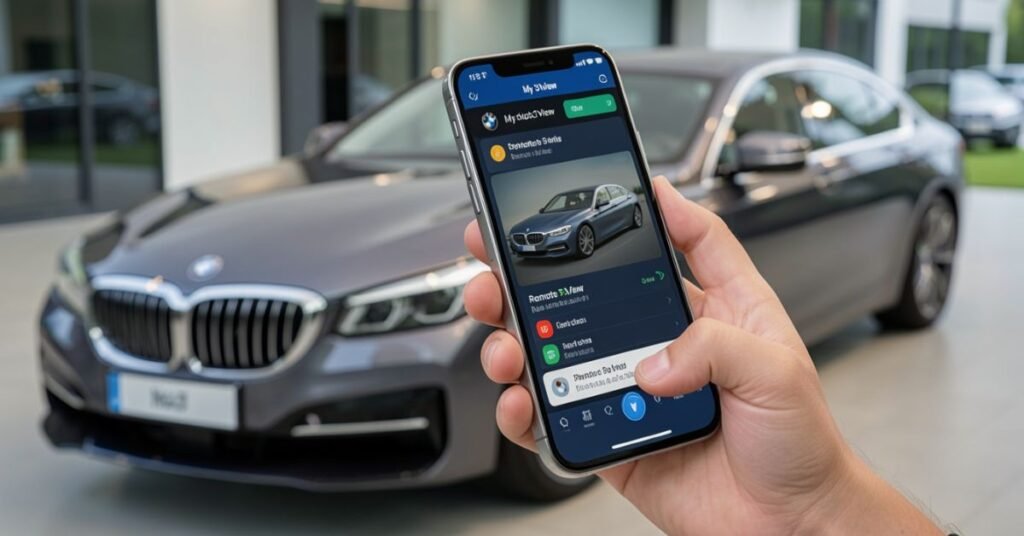
This feature is useful when your car is parked in an unfamiliar place. You can view the surrounding area and check the parking situation. You can also zoom in, move around the virtual view, and save selected images.
Remote 3D View is only available on compatible BMW models. It must also be enabled in the vehicle’s data privacy settings. Drivers can check the ConnectedDrive Store to see whether their car supports this feature.
Apple CarPlay & Android Auto in BMW
Apple CarPlay and Android Auto connect your smartphone to your BMW. They display supported phone apps on the vehicle’s screen. This helps you use important features without holding your phone.
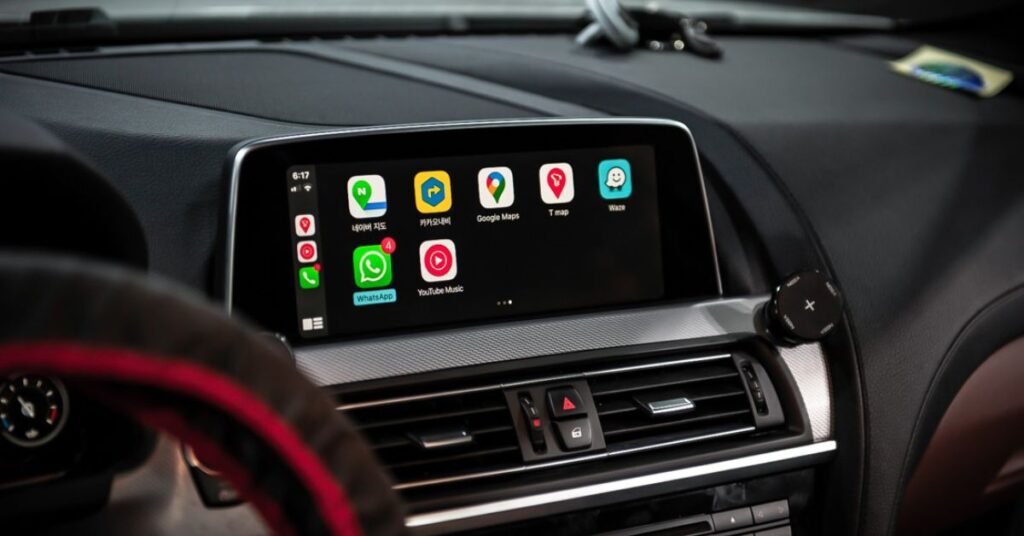
You can access maps, music, calls, and messages while driving. Voice commands make these tools easier to control. Apple users can use Siri, while Android users can use Google Assistant.
Many newer BMW models support wireless smartphone connection. However, availability depends on the model, production year, and equipment. You can check the car settings or the My BMW app for compatibility.
Conclusion
Overall, BMW ConnectedDrive makes everyday driving easier and more enjoyable. It combines navigation, safety, entertainment, and remote controls in one system. Moreover, drivers can stay connected to their BMW through the vehicle display and the My BMW app.
However, the available features depend on the BMW model, software, location, and subscription plan. Therefore, it is helpful to check the ConnectedDrive Store for exact options and prices. In conclusion, BMW ConnectedDrive provides useful tools that improve comfort, convenience, and confidence on the road.
FAQs
1. What is BMW ConnectedDrive?
BMW ConnectedDrive is a collection of digital services for BMW vehicles. In addition, it offers navigation, remote controls, safety tools, and entertainment features.
2. Is BMW ConnectedDrive free?
Some basic services may be included with the vehicle. However, premium features and upgrades may require a monthly or yearly subscription.
3. How do I activate BMW ConnectedDrive?
First, create a BMW ID in the My BMW app. Next, add your vehicle and follow the instructions to complete the connection.
4. Which BMW models support ConnectedDrive?
Many newer BMW models support ConnectedDrive. However, the available features depend on the model, production year, equipment, and operating system.
5. Can I control my BMW from my phone?
Yes, the My BMW app can control selected features. For example, you may lock the doors, locate the car, check its status, or prepare the cabin temperature.