BMW iDrive is the infotainment system used in BMW vehicles. It helps drivers control navigation, music, phone calls, climate settings, and many other features from one place. The system uses a touchscreen, rotary controller, voice commands, and steering wheel buttons to make driving easier and more convenient.
Modern BMW iDrive has changed the way people interact with their cars. Each new version adds faster performance, smarter controls, and better connectivity. Whether you own a new BMW or plan to buy one, understanding iDrive can help you enjoy more of your vehicle’s features.
In this guide, you will learn how BMW iDrive works and what makes it unique. We will explain its main features, different versions, common problems, and useful tips. You will also discover how to use BMW iDrive more effectively and choose the right version for your needs.
What Is BMW iDrive?
BMW iDrive is the infotainment and control system found in BMW vehicles. It lets drivers manage navigation, music, phone calls, climate settings, and vehicle information from one central screen. The system is designed to make driving easier and more organized.
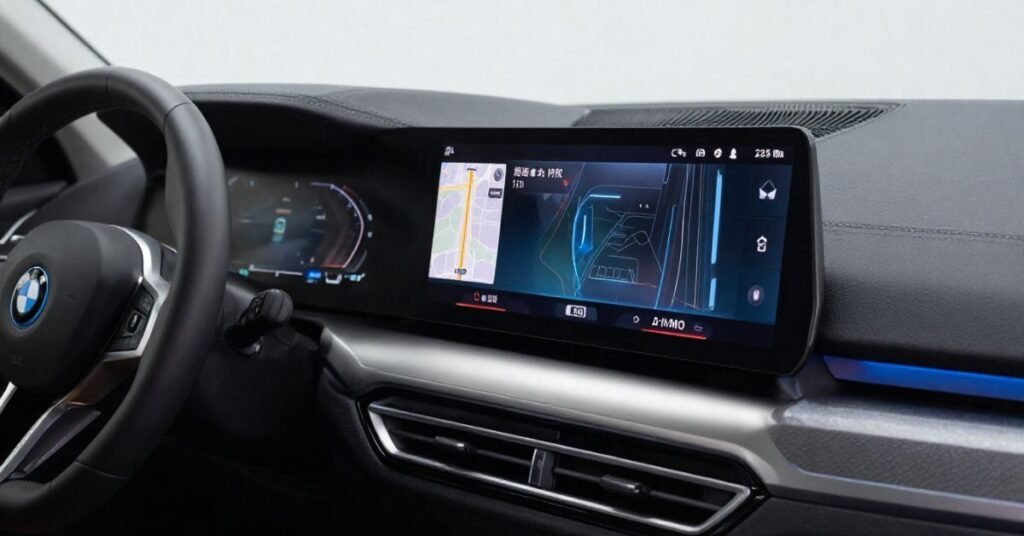
The first BMW iDrive was introduced to reduce the number of buttons inside the car. Over time, it has become faster, smarter, and more user-friendly. Newer versions also include touch controls, voice commands, and wireless smartphone integration.
Today, BMW iDrive is one of the most advanced infotainment systems in the automotive industry. It helps drivers stay connected while keeping their attention on the road. Regular software updates also add new features and improve system performance.
BMW iDrive Features
BMW iDrive offers many useful features that improve comfort and convenience. Drivers can use navigation, music, Bluetooth, and phone functions from one display. The system also provides access to vehicle settings and driving information.
Many BMW iDrive versions support voice commands for hands-free control. Apple CarPlay and Android Auto are available on many newer models. Some versions also include wireless charging, Wi-Fi hotspot, and cloud-based navigation services.
The system is designed to respond quickly and display clear graphics. Drivers can control it with the touchscreen, rotary controller, steering wheel buttons, or voice assistant. Regular software updates keep BMW iDrive secure and add new functions over time.
How BMW iDrive Works
BMW iDrive connects the car’s main systems through one central interface. It displays information on the infotainment screen and lets drivers control different functions with ease. This reduces the need to use many separate buttons while driving.
The system accepts input in several ways. You can use the touchscreen, the rotary controller, steering wheel controls, or voice commands. Many newer BMW models also support gesture control for selected functions.
BMW iDrive communicates with the vehicle’s software to manage navigation, entertainment, climate control, and connected services. It also displays important driving information in real time. As a result, drivers can access key features quickly while keeping their focus on the road.
BMW iDrive Versions
BMW iDrive has improved through several generations. Early versions used a rotary controller with a simple display. Newer versions offer faster performance, sharper graphics, and a more modern design.
Popular versions include iDrive 5, iDrive 6, iDrive 7, iDrive 8, and the latest iDrive 9. Each version adds new features and better technology. Improvements include larger touchscreens, voice control, cloud-based navigation, and wireless smartphone connectivity.
The best BMW iDrive version depends on your vehicle and your needs. Older systems are easy to use and reliable for basic functions. Newer versions provide more advanced features, regular software updates, and a smoother user experience.
Compatible BMW Models
BMW iDrive is available across a wide range of BMW vehicles, but the exact system, software version, and features depend on the model, production year, and optional equipment. Newer BMW models generally offer more advanced displays, connectivity, and digital functions, while older vehicles may use earlier versions of the iDrive system.
Some older BMW vehicles may support software updates or certain upgrades, depending on their existing hardware and system compatibility. However, not every iDrive version can be upgraded to the latest generation. Owners should check their specific vehicle details before considering any software or hardware upgrade.
BMW model lines that have been available with iDrive include:
- BMW 1 Series
- BMW 2 Series
- BMW 3 Series
- BMW 4 Series
- BMW 5 Series
- BMW 7 Series
- BMW 8 Series
- BMW X1
- BMW X3
- BMW X5
- BMW X7
- BMW i4
- BMW i5
- BMW i7
- BMW iX
The availability of iDrive and its individual features can vary by model year, generation, market, and vehicle equipment.
BMW iDrive Controls
BMW iDrive provides several ways to control the infotainment system, depending on the vehicle model and equipment. Drivers may use the touchscreen, iDrive controller, steering wheel buttons, or voice control to access supported functions. Having different control options can make it easier to operate the system according to the driver’s preference.
In BMW models equipped with an iDrive controller, it is typically located on the center console and can be used to navigate menus and select functions. Steering wheel controls can provide access to commonly used features, such as audio controls and phone functions, while helping the driver keep their hands close to the steering wheel.
Some newer BMW models also offer BMW Intelligent Personal Assistant and, in selected vehicles, gesture control. Voice commands can be used for supported functions such as navigation, communication, and entertainment. Gesture control is not available on every BMW model, so its availability depends on the vehicle, model year, and equipment.
Connected Services
BMW iDrive can work with a range of connected services designed to provide navigation, traffic information, entertainment, and access to selected vehicle functions. Available services depend on the BMW model, production year, market, equipment, and subscription status. In supported vehicles, these features can help drivers access useful information and connected functions while traveling.
Many newer BMW models support smartphone integration through Apple CarPlay and Android Auto, depending on the vehicle’s equipment and market. These systems can allow drivers to access compatible navigation, communication, and music apps through the vehicle’s infotainment system. Bluetooth and, in selected models, Wi-Fi connectivity can also support communication and other connected features.
The My BMW app can provide access to selected remote services for compatible vehicles. Depending on the model and available services, owners may be able to check vehicle status, locate the vehicle, or use supported remote functions. BMW also provides software updates for eligible vehicles, which may improve existing functions or add supported features over time.
Common Problems
BMW iDrive is reliable, but it can develop problems over time. Some users may experience a frozen screen, slow response, or random system restarts. These issues are often related to software bugs or outdated system updates.
Bluetooth connection problems are also common. In some cases, phones may disconnect or fail to pair with the system. Navigation errors, voice command issues, and touchscreen delays can also occur, especially on older iDrive versions.
Many BMW iDrive problems can be fixed with a system restart or a software update. Checking for the latest firmware can improve performance and stability. If the issue continues, a BMW service center can diagnose and repair the system if needed.
Software Updates
BMW regularly releases software updates for iDrive to improve performance and add new features. These updates can make the system faster, more stable, and more secure. They may also fix known bugs and improve compatibility with mobile devices.
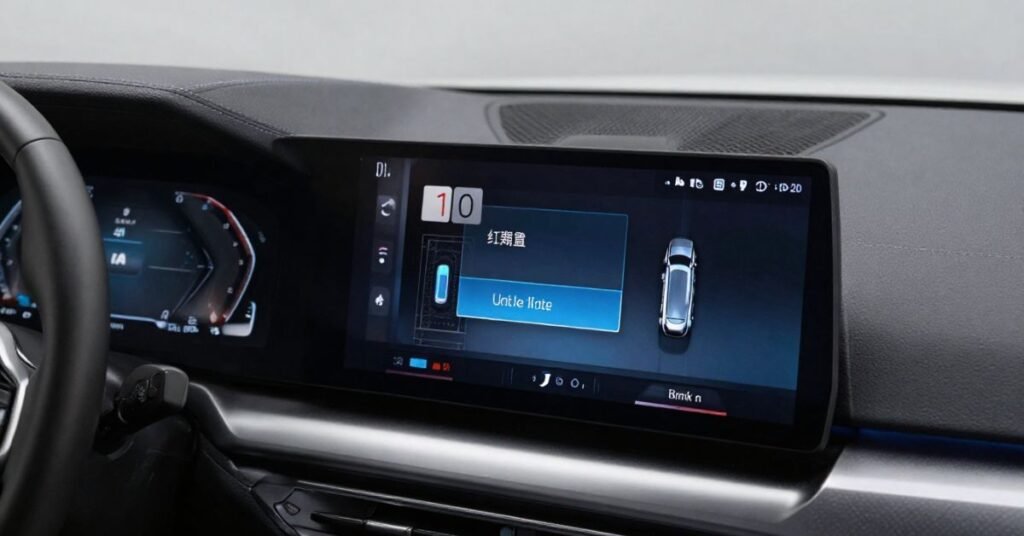
Many newer BMW models support Remote Software Upgrade. The update can be downloaded through the vehicle or the My BMW app. After downloading, drivers can install it by following the instructions on the screen.
It is a good idea to keep BMW iDrive updated whenever a new version is available. An updated system provides a smoother user experience and better reliability. Before starting an update, make sure the vehicle battery has enough power and follow all installation steps carefully.
BMW iDrive Comparison
BMW iDrive has changed a lot over the years. Each version adds better performance, new features, and improved connectivity. Newer systems also provide larger displays and smarter voice controls.
The table below compares the main BMW iDrive versions. It highlights the key differences to help you understand which version best fits your needs.
| BMW iDrive Version | Release Period | Display Type | Touchscreen | Voice Control | Apple CarPlay | Android Auto | Navigation | Remote Software Update | Best For |
| iDrive 4 | 2012–2016 | Standard Display | No | Basic | No | No | Standard GPS | No | Older BMW models |
| iDrive 5 | 2016–2017 | HD Display | Limited | Improved | Yes (selected models) | No | Enhanced Navigation | No | Everyday driving |
| iDrive 6 | 2017–2019 | HD Display | Yes | Advanced | Yes | Limited | Real-Time Navigation | No | Better connectivity |
| iDrive 7 | 2019–2021 | Digital Display | Yes | BMW Intelligent Personal Assistant | Yes | Yes | Cloud-Based Navigation | Yes | Smart features |
| iDrive 8 | 2022–2024 | Curved Display | Yes | Enhanced AI Voice Assistant | Yes | Yes | Cloud Navigation | Yes | Premium digital experience |
| iDrive 9 | 2024–Present | Curved HD Display | Yes | AI-Based Voice Assistant | Yes | Yes | Advanced Cloud Navigation | Yes | Latest BMW technology |
Benefits of BMW iDrive
BMW iDrive brings a range of vehicle and infotainment functions into one central interface. Depending on the model and equipment, drivers can access features such as navigation, entertainment, communication, and selected vehicle settings through the system. This can provide a more organized way to access frequently used functions.
Many BMW models also support smartphone connectivity and other digital features, although availability varies by model, production year, market, and equipment. Compatible vehicles may offer Apple CarPlay, Android Auto, Bluetooth connectivity, and voice control, allowing drivers to access supported communication, navigation, and entertainment functions.
BMW iDrive systems may also receive software updates on eligible vehicles, which can improve supported functions or introduce additional features. The available update methods and features depend on the specific vehicle and software version. Overall, iDrive is designed to provide convenient access to vehicle information and digital services through an integrated control system.
Buying Guide
Choose a BMW with an iDrive version that matches your needs and budget. Older versions work well for basic navigation and entertainment. Newer versions offer faster performance, larger displays, and more connected features.
Check that the system supports the features you want. Look for Apple CarPlay, Android Auto, voice control, navigation, and Remote Software Upgrade if they are important to you. Test the touchscreen and controller during a test drive to make sure everything works properly.
If you are buying a used BMW, inspect the iDrive system carefully. Make sure the screen responds quickly, and all functions operate correctly. Ask for the vehicle’s service history and confirm that the latest software updates have been installed whenever possible.
Expert Tips
Keep your BMW iDrive software up to date for the best performance. New updates often fix bugs, improve security, and add useful features. Install updates as soon as they become available.
Learn to use voice commands and steering wheel controls. These features help you keep your hands on the wheel and your eyes on the road. They also make it faster to access navigation, music, and phone functions.
Clean the touchscreen with a soft microfiber cloth to keep it clear and responsive. Avoid using harsh cleaning products that may damage the display. If you notice slow performance or frequent errors, restart the system or have it checked by a BMW technician.
Conclusion
BMW iDrive is a smart infotainment system that makes driving easier and more enjoyable. It combines navigation, entertainment, communication, and vehicle settings into one simple interface. With each new version, BMW continues to improve performance, connectivity, and user experience.
Choosing the right BMW iDrive version depends on your vehicle and your driving needs. Regular software updates and proper maintenance help the system work at its best. By understanding its features and functions, you can enjoy a safer, more comfortable, and more connected driving experience.
FAQs
1. What is BMW iDrive?
BMW iDrive is the infotainment system in BMW vehicles. It controls navigation, entertainment, phone calls, climate settings, and vehicle information from one display.
2. Which BMW models have iDrive?
Most modern BMW models, including the 3 Series, 5 Series, X3, X5, i4, i5, and iX, come with BMW iDrive. The version depends on the model year.
3. Can I update BMW iDrive software?
Yes. Many newer BMW models support Remote Software Upgrade, while others can be updated at a BMW dealership.
4. Does BMW iDrive support Apple CarPlay and Android Auto?
Yes. Most recent BMW iDrive versions support Apple CarPlay and Android Auto for easy smartphone connectivity.
5. What should I do if BMW iDrive stops working?
Restart the system, check for software updates, and ensure your battery is in good condition. If the problem continues, visit an authorized BMW service center.